Health
Microsoft's Best Practice Analyzer rules, run straight from the project files, with lineage checks on top: fields nothing in your reports uses, missing fields, broken references.
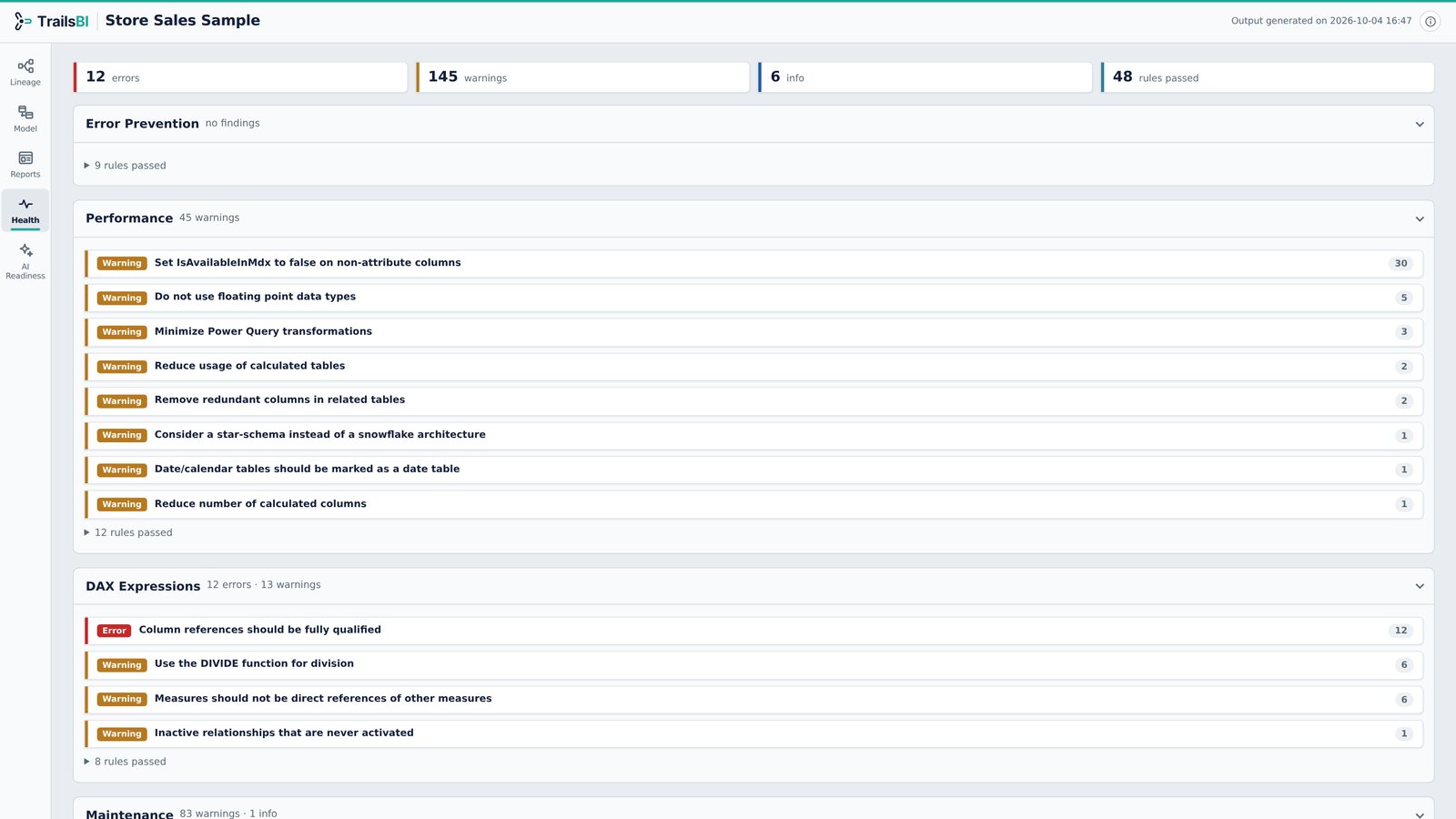
What it shows
- Microsoft's Best Practice Analyzer rules (71 in TrailsBI 1.6), evaluated on the TMDL files with no Tabular Editor install and no connection to the model.
- Lineage checks the rules can't do on their own: columns, measures, tables and calculation groups not referenced in the reports, fields missing from the model, and measures defined in reports rather than the model.
- Each finding lists the tables, columns and measures it is about. Select one to see it in the Lineage view.
How findings are grouped
Findings are grouped by category and severity, so you can work through the important ones first. Measures count toward their home table, so a measures table is never suggested for deletion.
Answers these questions
See it on a real model: Store Sales. Open the Health view from the side rail.