Workspace
Point TrailsBI at a workspace folder, or several, and see every data source, semantic model and report in one map, with reports joined to the models they use.
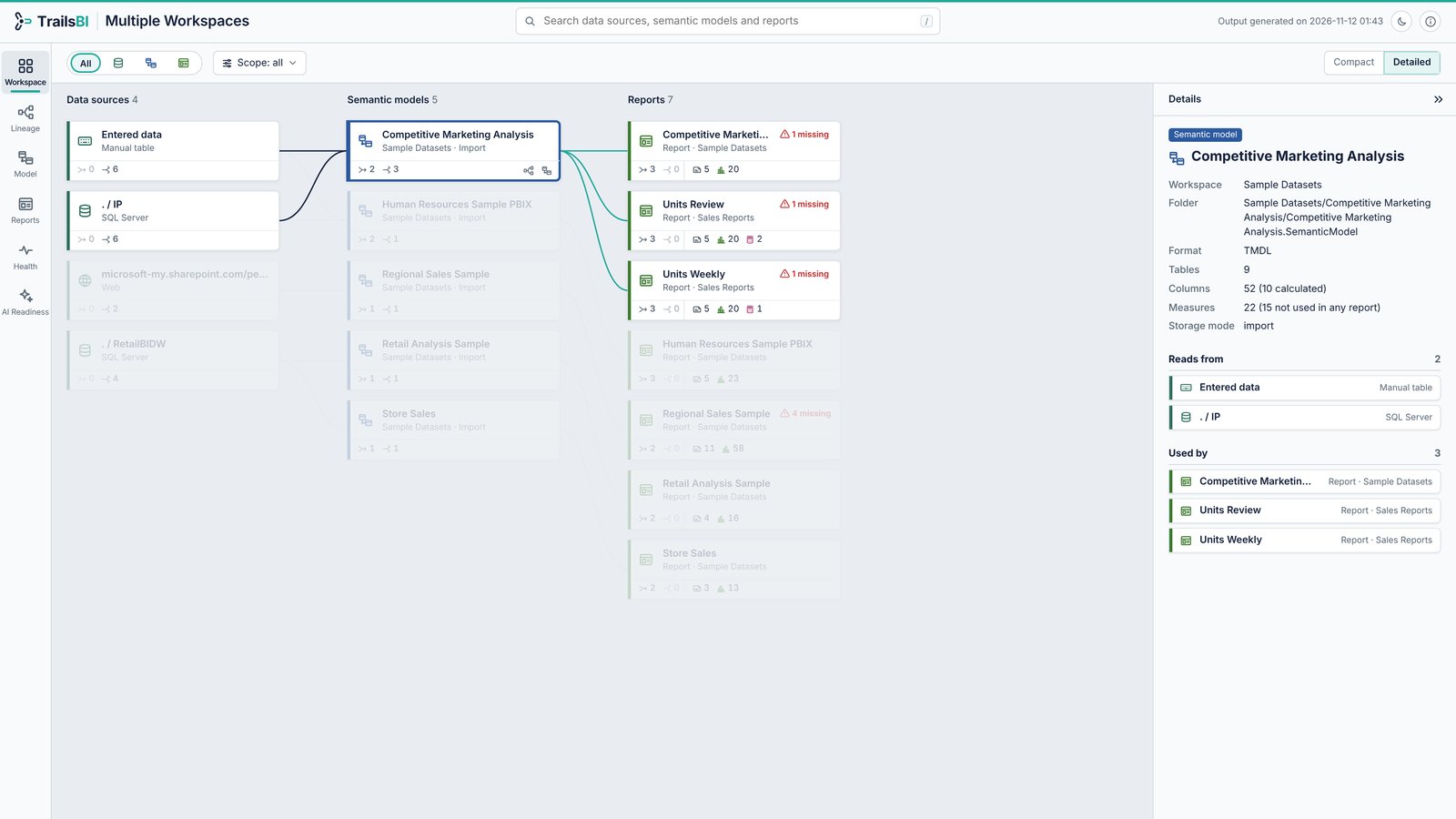
What it shows
- Columns from data source to semantic model to report, with lines for what feeds what.
- Click any card to highlight everything upstream and downstream of it.
- Reports live-connected to a model that the folders also hold are joined to it, even across workspaces. A report finds its model by name and by the workspace its connection names, so a Dev and a Prod copy are told apart.
- Scope, in the toolbar, picks which models, reports or whole workspaces every other view shows. Save a scope as JSON and build just that with
--include.
Build part of a folder
List what a folder holds, then build only what you need. Names may be display names or paths, and wildcards work.
trailsbi "D:\Git\Sales workspace" --listtrailsbi "D:\Git\Sales workspace" --model "Sales*" --with-reportsOne page per model
--split writes one page per semantic model, with every report that uses it wherever that report lives, so each model's owner gets a page of their own. Reports on models the folders don't hold get a page per published model.
trailsbi "D:\Git\Sales Reports" "D:\Git\Sales Datasets" --split -o "D:\Lineage pages"Answers these questions
See it on a real model: Multiple workspaces. Open the Workspace view from the side rail.