Features
TrailsBI builds one page from your Power BI project with a view for each question. Click an item in one view to see it in the others; search finds a name across all of them.
-
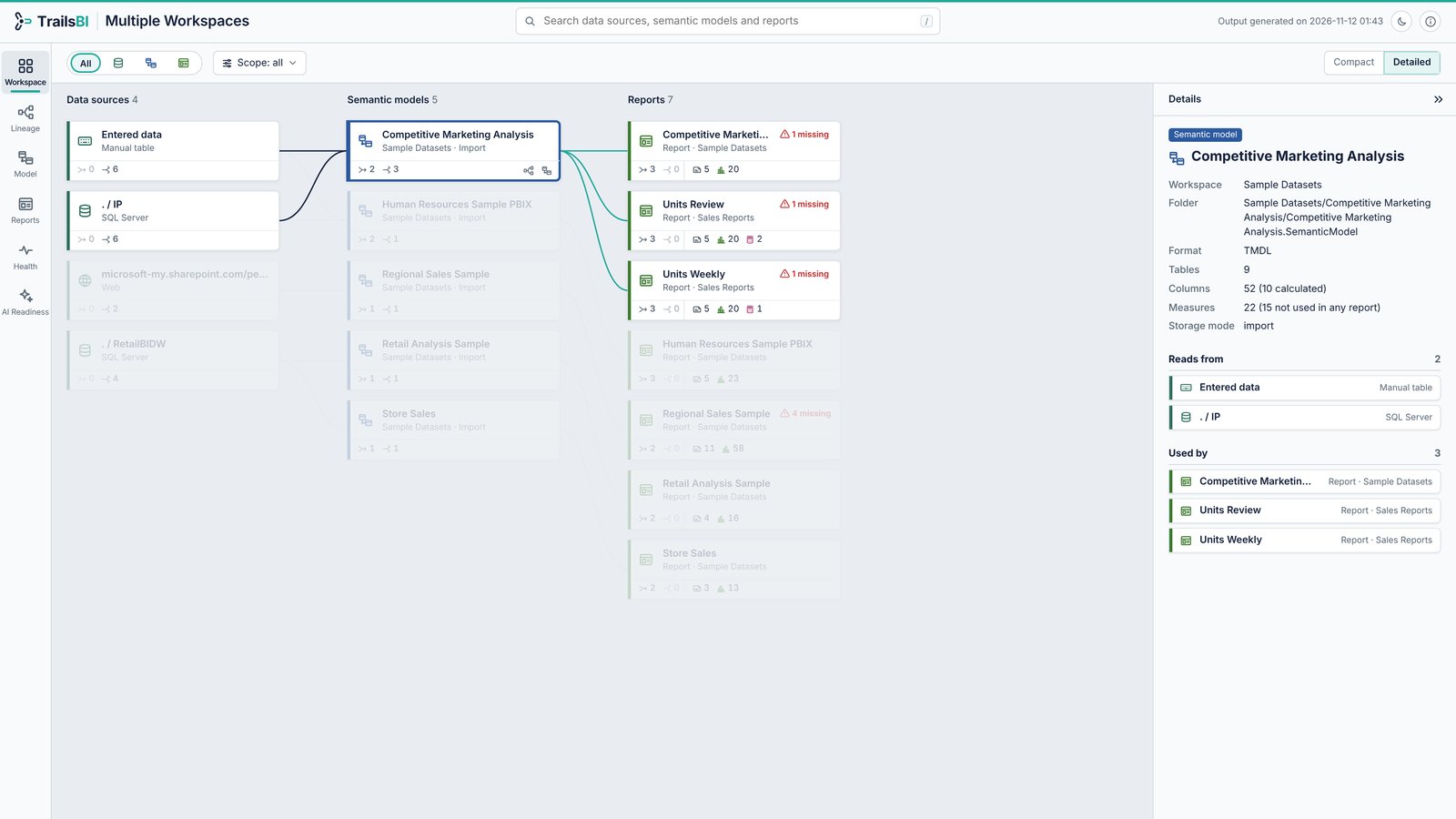
Workspace
Point TrailsBI at a workspace folder, or several, and see every data source, semantic model and report in one map, with reports joined to the models they use.
-
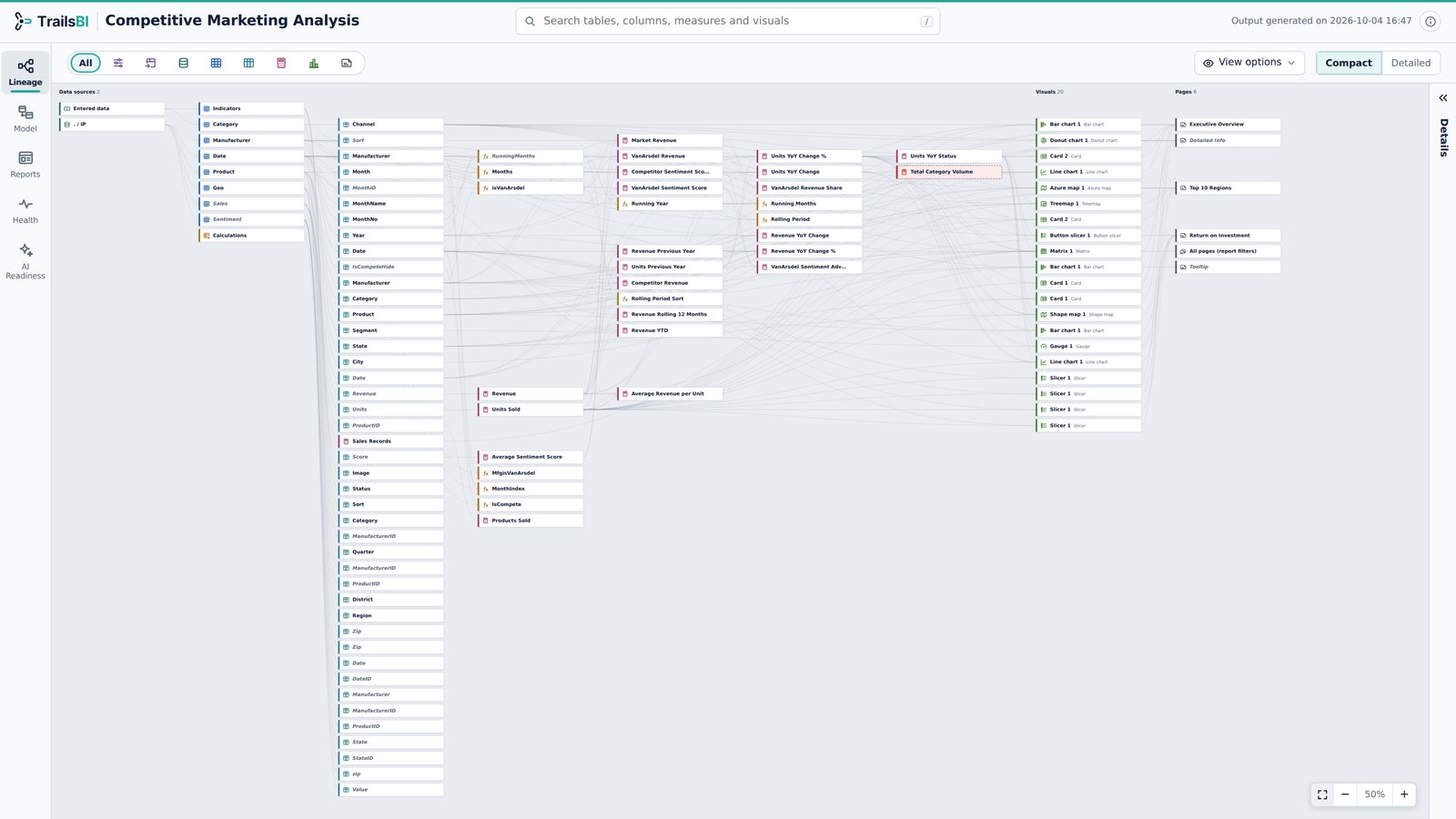
Lineage
Pick any column or measure and see everything it depends on, back to the data source, and everything built on it, down to the visuals and pages.
-
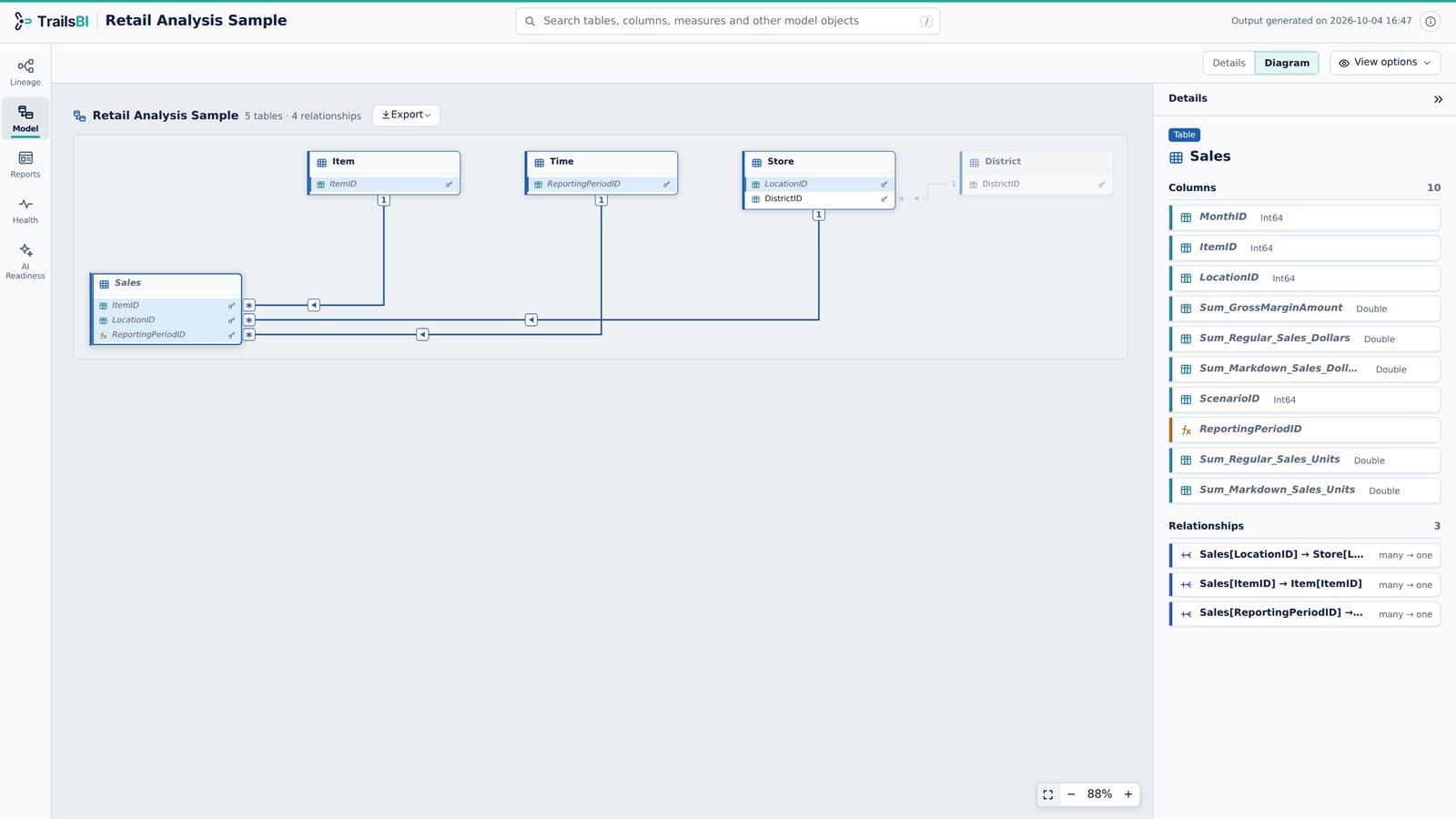
Model
A searchable list of the whole semantic model, with the DAX and Power Query one click away, and a relationship diagram laid out for you.
-
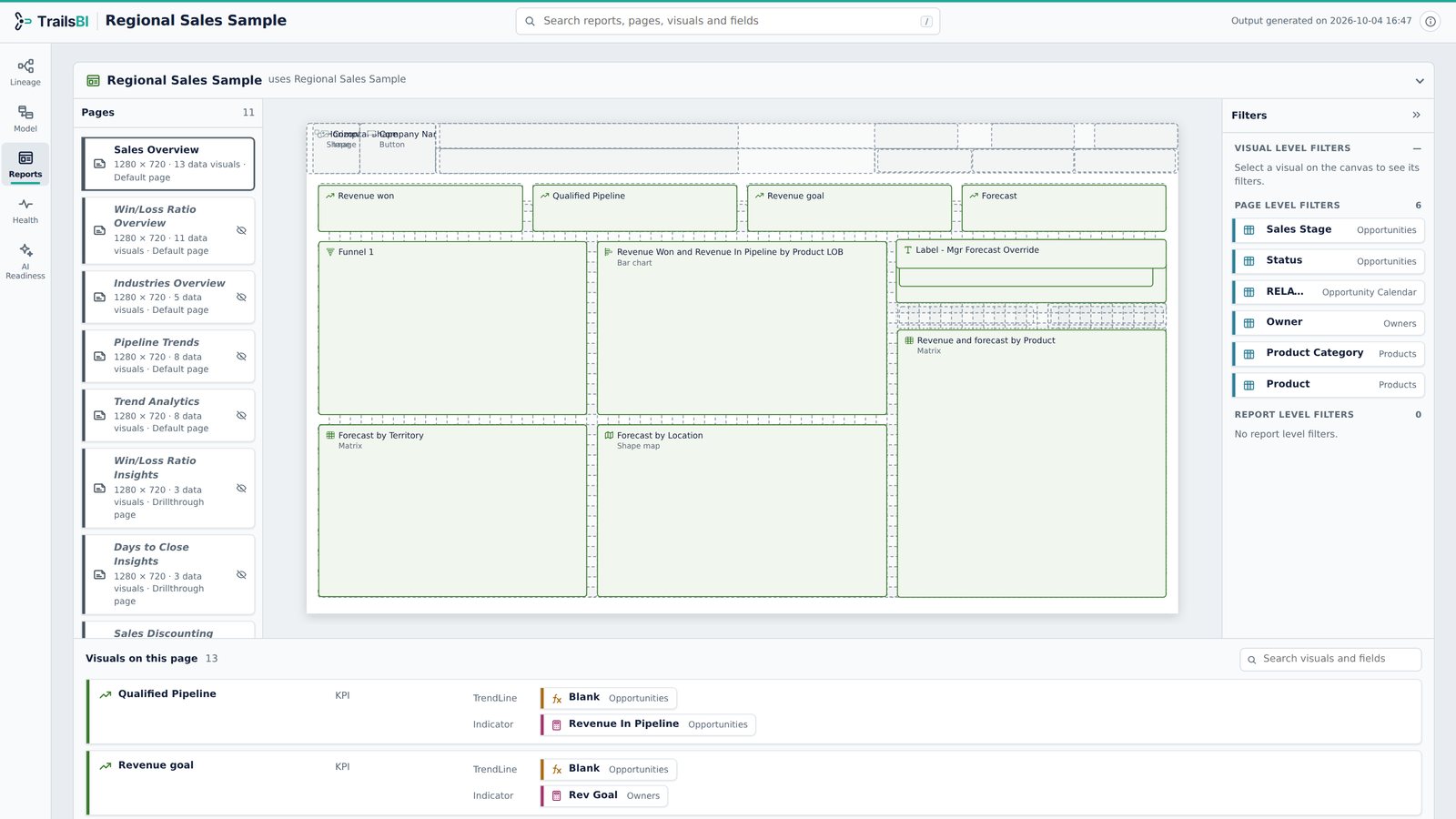
Reports
Every page drawn as a canvas preview, with the fields each visual uses, the filters at every level, and the fields the model no longer has.
-
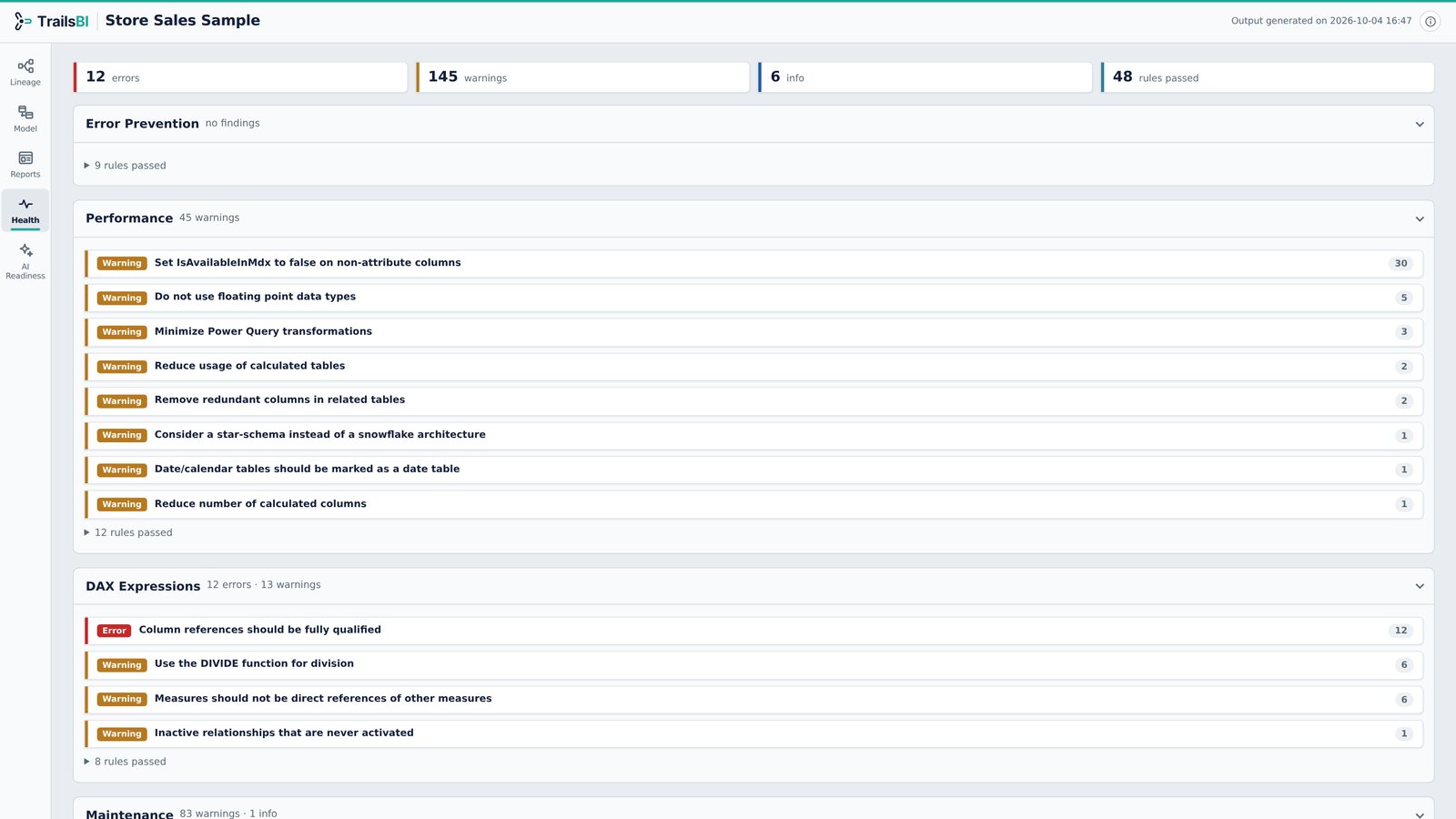
Health
Microsoft's Best Practice Analyzer rules, run straight from the project files, with lineage checks on top: fields nothing in your reports uses, missing fields, broken references.
-
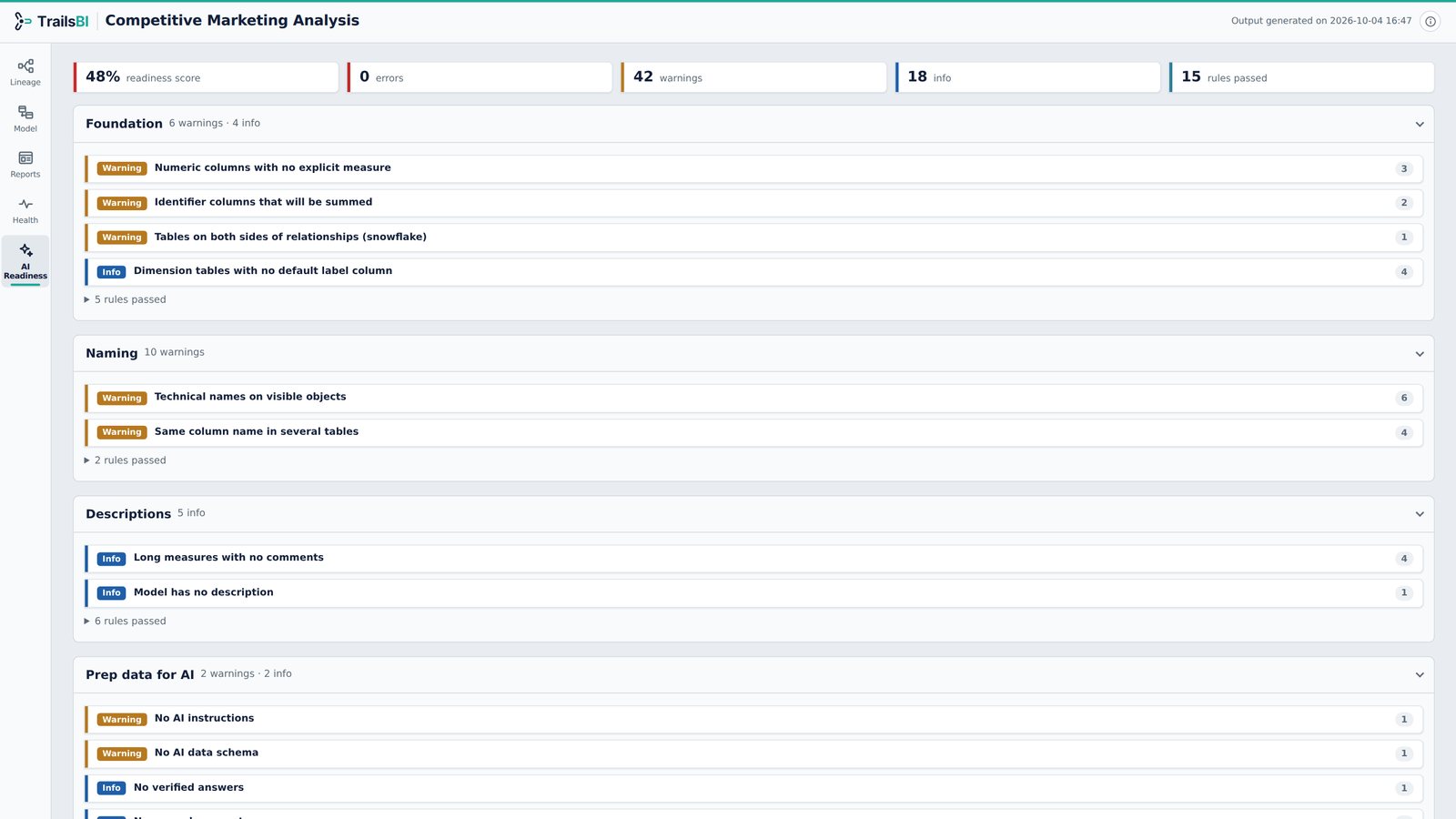
AI Readiness
A structural readiness score for Copilot, from the foundations Microsoft recommends to naming and AI instructions, with the items each finding is about.
-
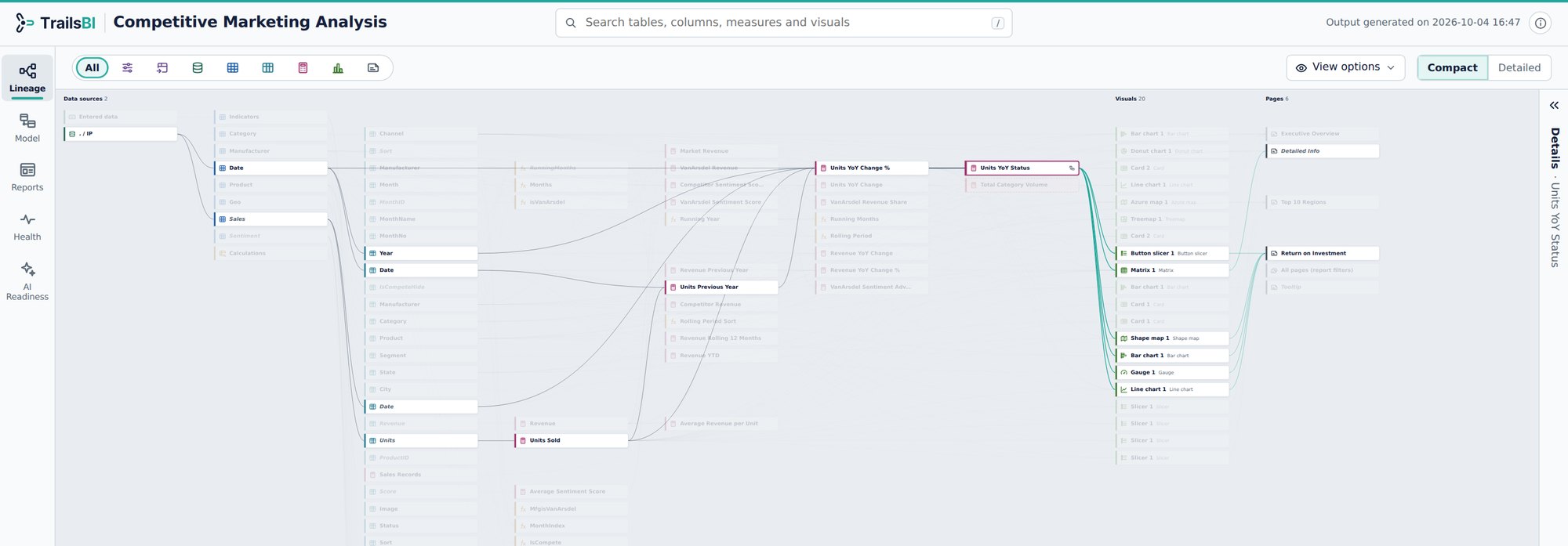
The TrailsBI visual
The same views as the HTML page, inside a Power BI report. One command adds a hidden TrailsBI table to the model and a TrailsBI page with the visual already on it.