How do I document a Power BI model?
How to produce one page that documents a semantic model and its reports, with every table, column and measure, the DAX and Power Query behind them, and the relationships, that you can hand over or attach to a pull request.
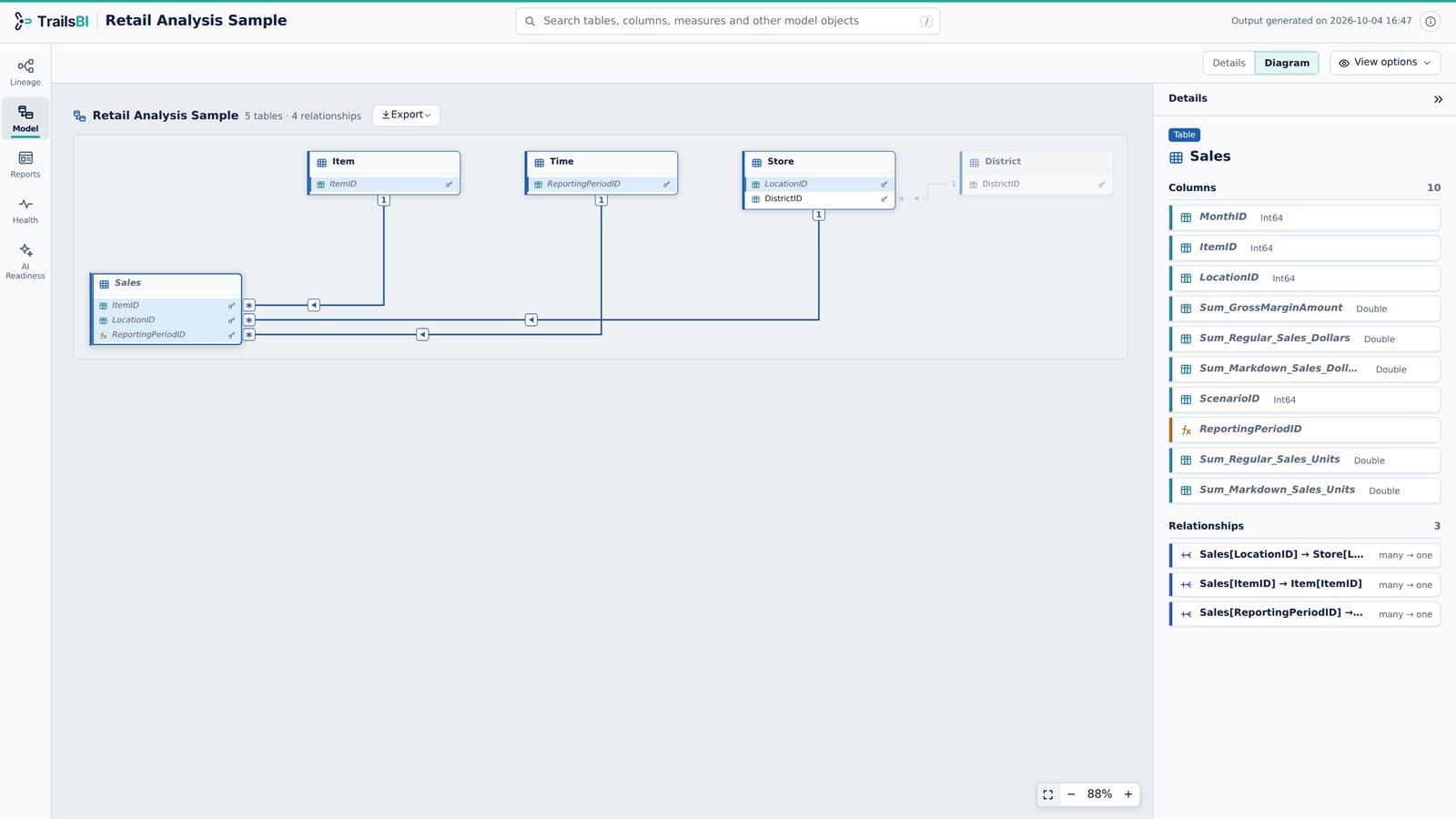
Why it's still a chore
Listing every measure with its DAX is one of the oldest questions on the Power BI forums, first asked in 2017 and still getting replies.1
“Is there a way to retrieve all measures from one pbix file and export or copy them to a txt file? That would help for further documentation and as well mass changes if needed.”
"Is there a way to retrieve all measures?", Fabric Community, March 2017, with replies into 2022. Read the thread
The usual answers involve DAX Studio queries, scripts or paid tools, each with a catch:2
“Trying your solution with DAX studio gives me a lot of EXTERNAL_MEASUREs I don't want. Do you know of a solution to only see the measures I've added to a given semantic model I have to use?”
Reply to "Pull All DAX expressions", Fabric Community, June 2025. Read the thread
Chris Webb has written that documenting a model is so tedious that most people simply skip it.3
How to document it with TrailsBI
TrailsBI reads the project files and writes one self-contained HTML page:
- every table, column and measure, with its DAX or Power Query, data type, format and description;
- a relationship diagram with cardinality and filter direction on every line;
- each report page with the fields each visual uses;
- the lineage from every data source to every visual.
trailsbi "D:\Reports\Sales" -o "Sales model.html"For a workspace with several models, write one page per model, each with the reports that use it:
trailsbi "D:\Git\Sales workspace" --split -o "D:\Model pages"What it doesn't see
- It documents what is in the files. Descriptions the model doesn't have stay empty, and it won't write them for you.
- Reports that aren't saved as Power BI projects in the folders you give it.
- The page holds names, DAX and data source addresses. Share it where that is allowed.
Questions
Can I keep the documentation up to date automatically?
Yes. TrailsBI is a command-line tool, so a pipeline can run it on every commit and publish the HTML page alongside the project.
Can I export the relationship diagram?
Yes, as PNG or SVG, with table and column names hidden if you want to share the shape of the model without its names.
Does it include measures defined in thin reports?
Yes. Report-level measures in live-connected reports are listed apart from the model's own measures.
Can I write one page per model for each owner?
Yes. --split writes one page per semantic model, with every report that uses it, into one folder.