Inherited a Power BI model?
How to understand a semantic model and its reports that someone else built, before the first change request arrives, without breaking anything along the way.
Where to start
An inherited model rarely comes with a handover. The questions are always the same: where does this number come from, which reports use this table, and what can I change without someone noticing the next morning.
“I inherited this report today. I've now coined the term "star destroyer schema"”
r/PowerBI, 345 upvotes, October 2026. Read the thread
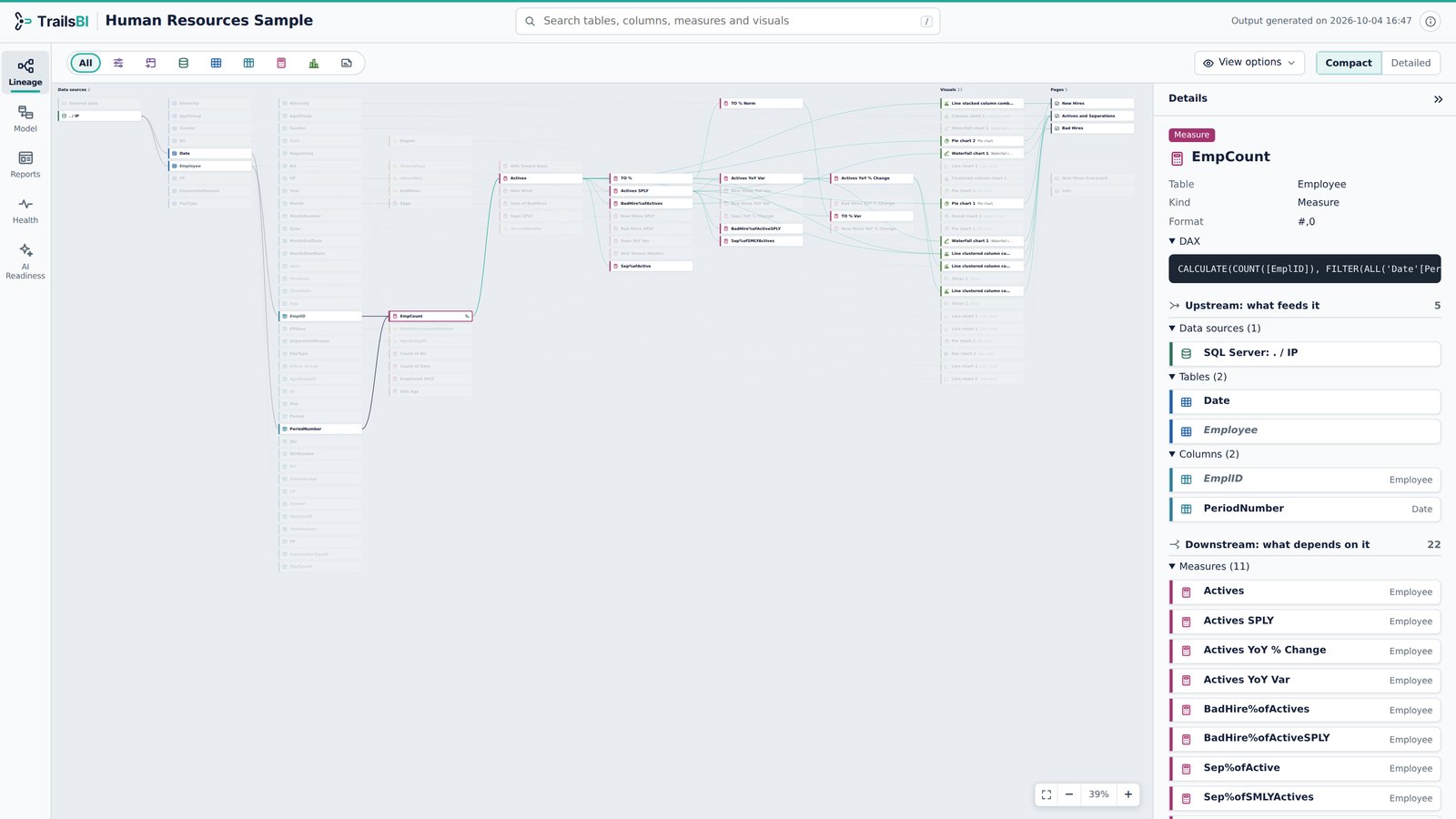
Opening each report and each measure in Power BI Desktop answers them one at a time. What helps is seeing the whole thing at once: sources, tables, relationships, measures with their DAX, and the reports and visuals that depend on them.1
How TrailsBI helps
Run TrailsBI on the model and its reports and you get one page with five views of the same project:
- Lineage: follow any number from the visual back to its source, or any column forward to every visual that uses it.
- Model: every table, column, measure and relationship, with the DAX and Power Query one click away, and a relationship diagram laid out for you.
- Reports: each page drawn as a canvas preview, with the fields each visual uses.
- Health: Microsoft's Best Practice Analyzer rules plus checks such as fields nothing in your reports uses and visuals with missing fields.
- AI Readiness: the structural checks Microsoft recommends before rolling out Copilot.
trailsbi "D:\Reports\Sales" --openStart with the Health view to see what needs attention, then use Lineage before each change to see what it touches.
What it doesn't see
- It can only explain what is in the project files. Business meaning that was never written down stays with the people who know it.
- Reports that aren't saved as Power BI projects in the folders you give it.
- It reads and explains. It doesn't change the model.
Questions
I only have a .pbix file. Does that work?
Save it as a Power BI project first (File, Save as, Power BI project). TrailsBI reads that folder.
Will running TrailsBI change anything in the project?
No. It only reads the files and writes one HTML page where you choose. The one exception is --embed, which you run on purpose to add the TrailsBI visual to a report.
Can I hand the result to someone else?
Yes. The page is one HTML file with no external scripts, so it opens in any browser, offline. It holds names, DAX and data source addresses, so share it where that is allowed.