Microsoft sample · an HR department

Human Resources

New hires, active employees and separations, to spot trends in hiring strategy and potential bias.

tables
9
columns
45
measures
30
pages
5
visuals
23
BPA findings
210
AI Readiness Score
55%
trailsbi "D:\Reports\Human Resources Sample"

What TrailsBI found

  • Error

    7 measures reference columns without their table, for example ROUND(AVERAGE([Age]), 0).

  • Error

    Year, Qtr, Day, MonthNumber and PeriodNumber are set to sum by default, so a visual can add up years.

  • Reports

    The Info page has text and images but no data visuals. The Reports view shows that at a glance.

Every view, on this model
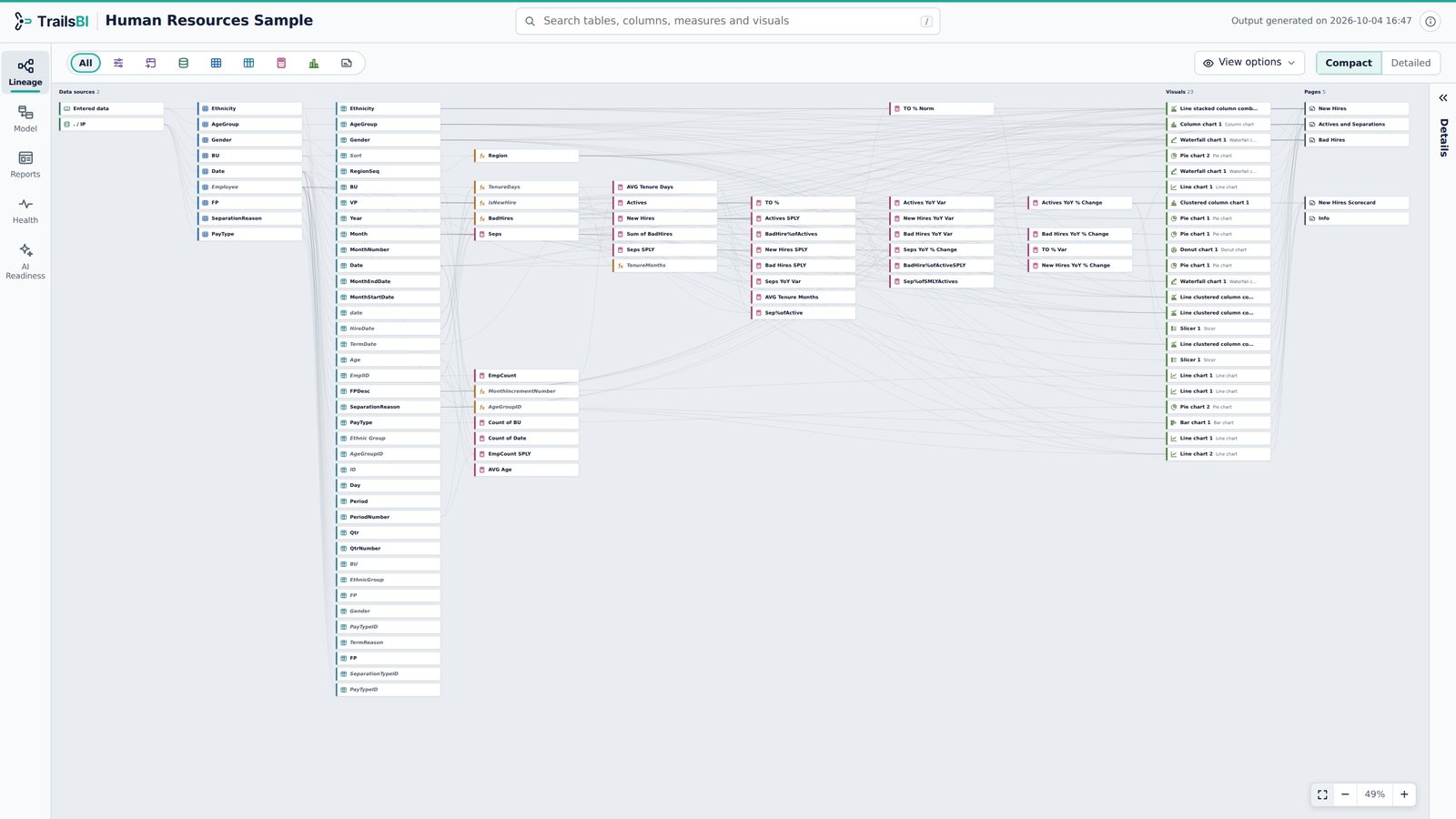
Human Resources in TrailsBI: Lineage · Compact View
Lineage · Compact View. The whole model on one screen. All items in one picture, from data sources through tables, columns and measures to the visuals and pages that use them.
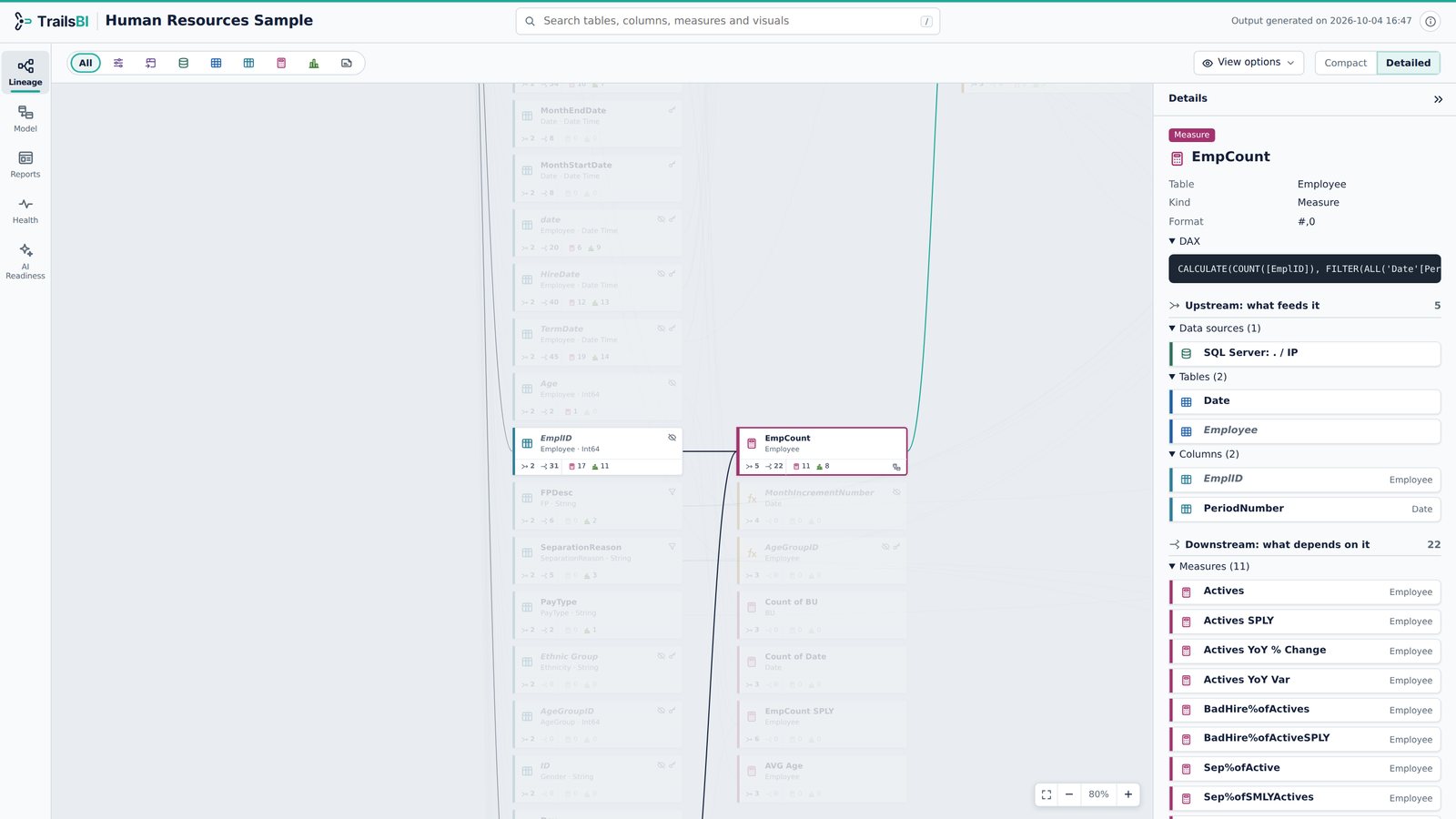
Human Resources in TrailsBI: Lineage · Detailed View
Lineage · Detailed View. Trace any item from source to visual. EmpCount selected: it reads EmplID and PeriodNumber, and 11 measures and 22 items in total depend on it. The Details panel lists everything upstream and downstream.
Human Resources in TrailsBI: Lineage · Graph View
Lineage · Graph View. The whole project in rings. Data sources in the middle, tables with their columns and measures around them, pages and their visuals on the outer ring. Actives selected: it reaches 8 visuals on 3 pages, in teal, and what it depends on shows in navy.
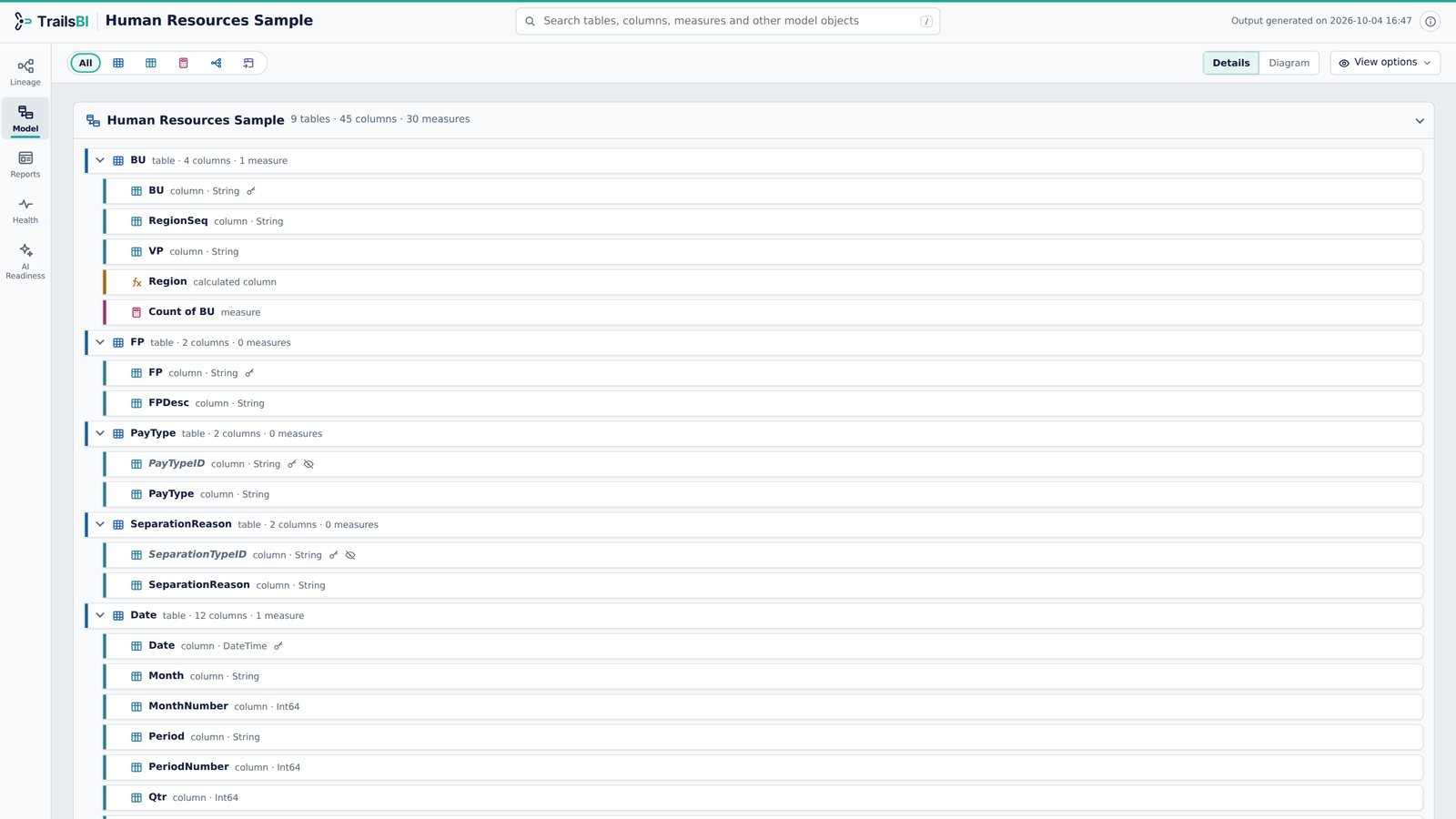
Human Resources in TrailsBI: Model · Detail View
Model · Detail View. Every table, column and measure. Every table expanded with its columns, measures and hierarchies, keys and hidden objects marked. DAX is one click away and search narrows all of it as you type.
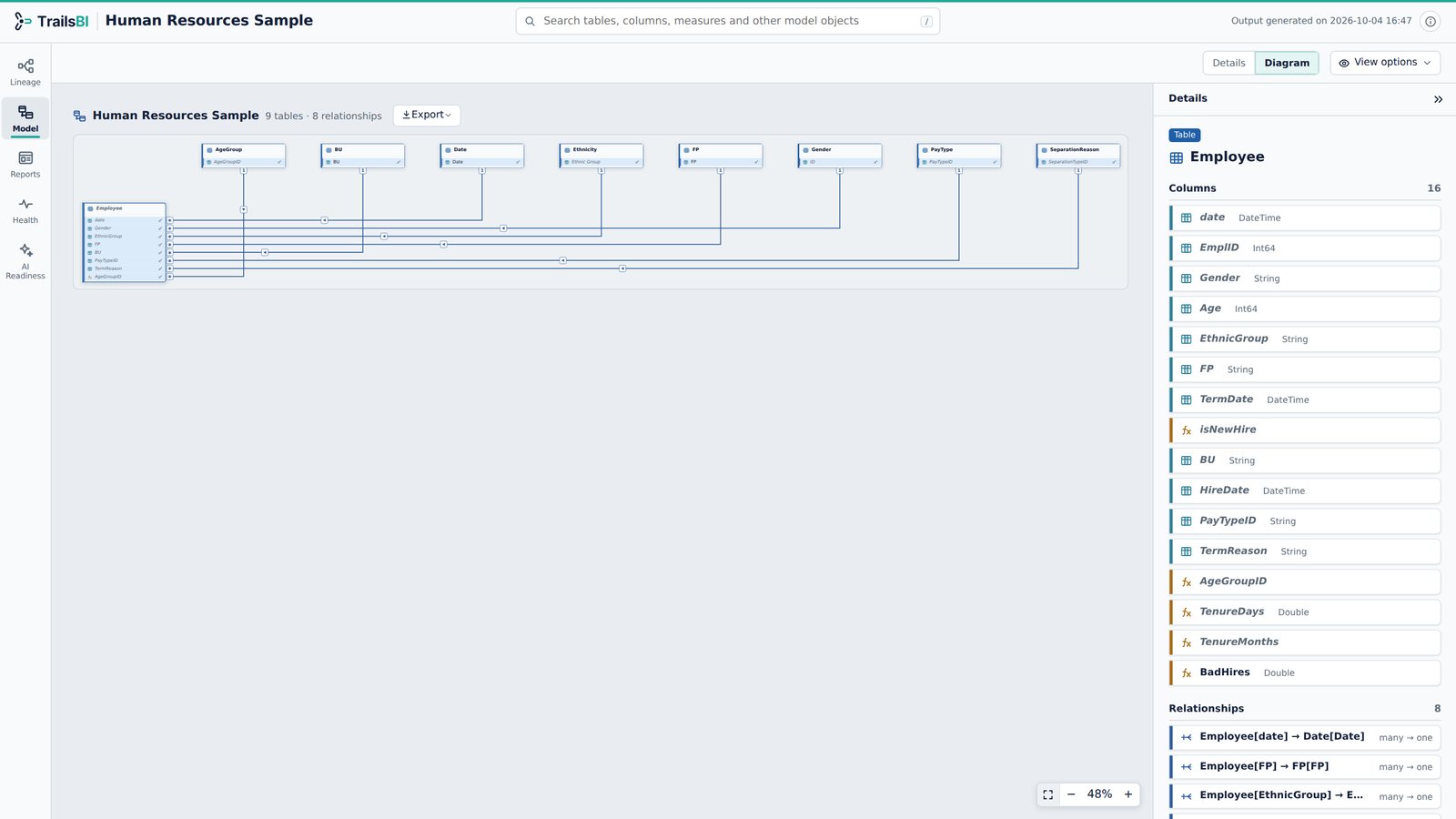
Human Resources in TrailsBI: Model · Diagram View
Model · Diagram View. Relationships laid out automatically. Employee selected: its 8 relationships light up and the Details panel lists its columns and relationships. The star schema drawn for you: Employee in the middle, every dimension filtering into it.
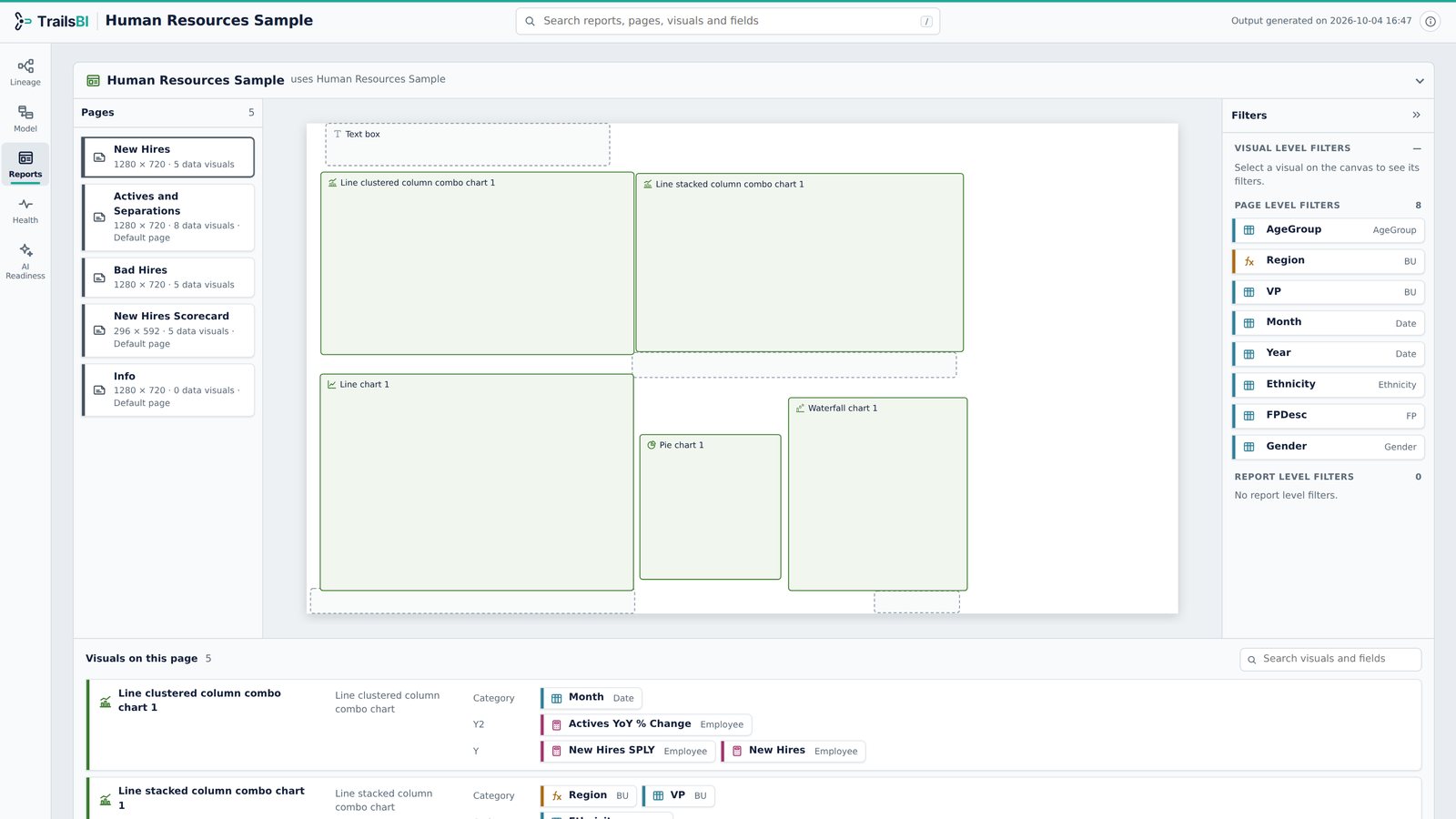
Human Resources in TrailsBI: Reports View
Reports View. Pages, canvas layout and filters. New Hires page: combo, line, pie and waterfall charts with the fields each one uses, and 8 page-level filters.
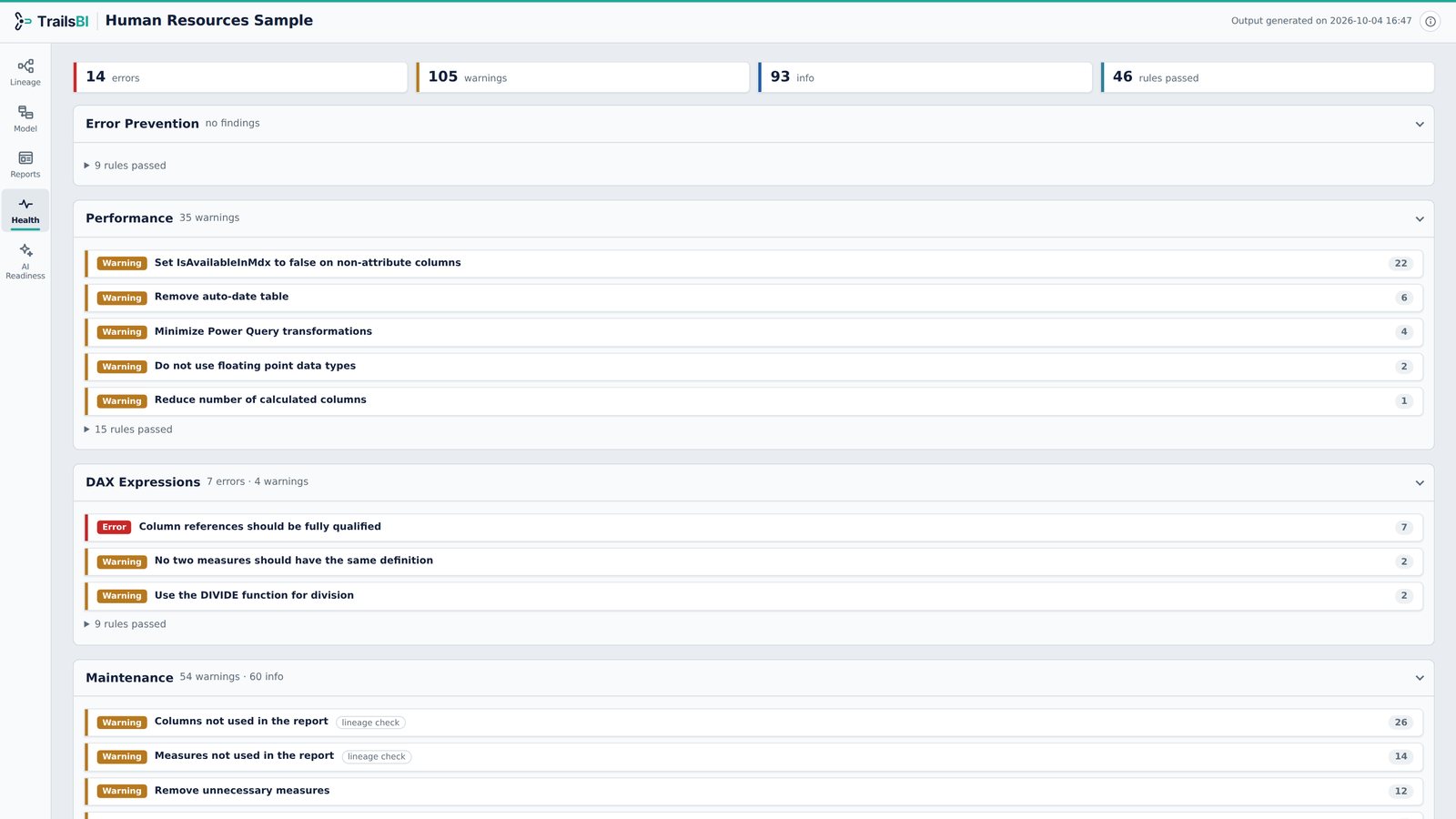
Human Resources in TrailsBI: Health
Health. Best Practice Analyzer and lineage checks. 14 errors and 103 warnings, from unqualified column references to auto-created measures with no format string.
Human Resources in TrailsBI: AI Readiness
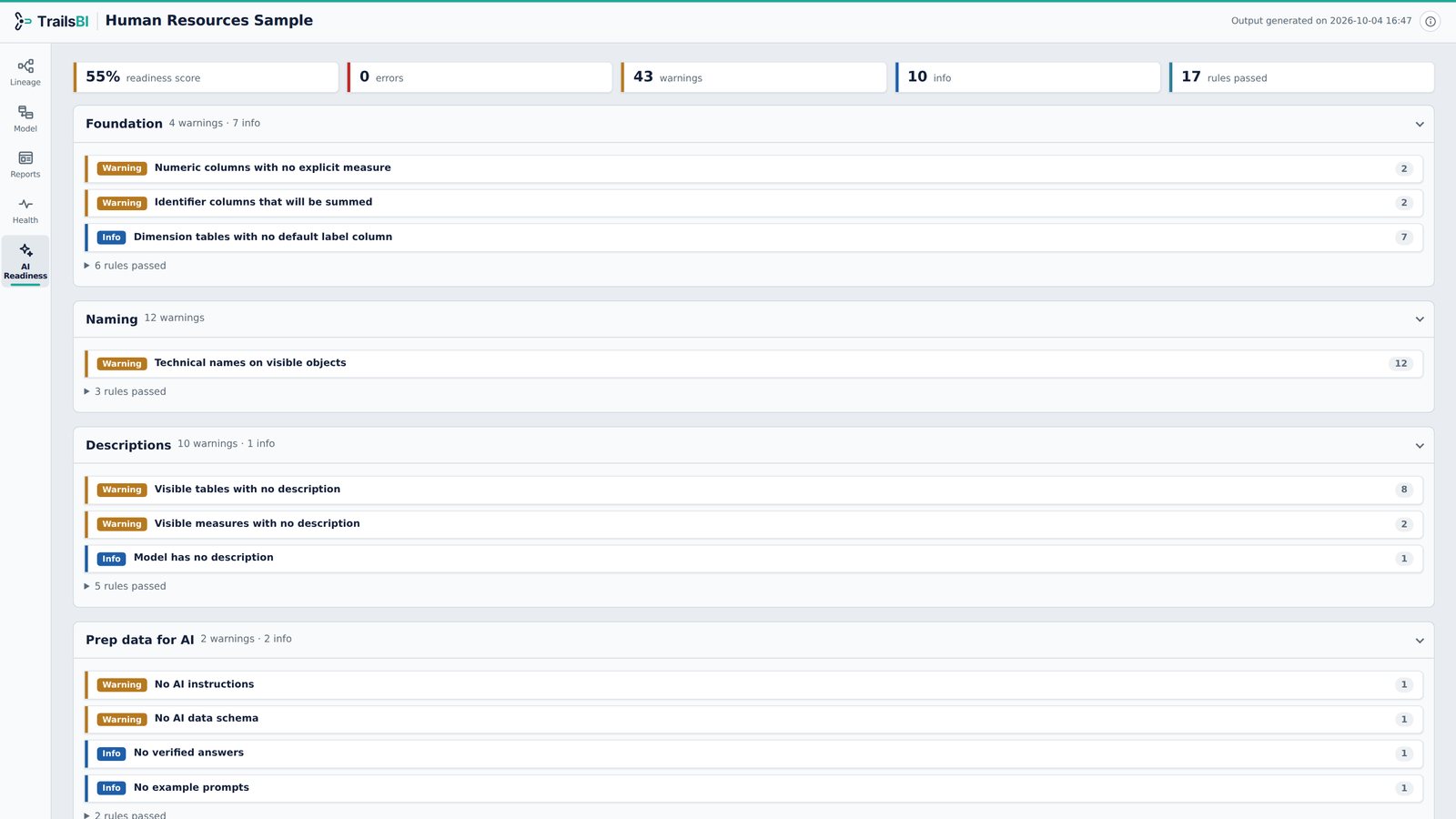
AI Readiness. How ready the model is for Copilot. AI Readiness Score at 55%, the second best of the five samples.
Human Resources in TrailsBI: Exported diagram
Exported diagram. Names visible, or hidden for sharing. The same diagram exported twice: names visible on the left, and on the right with table and column names hidden, safe to share outside the team.