Microsoft sample · VanArsdel Ltd

Competitive Marketing Analysis

A CMO's view of a fictitious manufacturer: market share, product volume, sales and sentiment against competitors.

tables
9
columns
52
measures
23
pages
5
visuals
20
BPA findings
128
AI Readiness Score
48%
trailsbi "D:\Reports\Competitive Marketing Analysis"

What TrailsBI found

  • Error

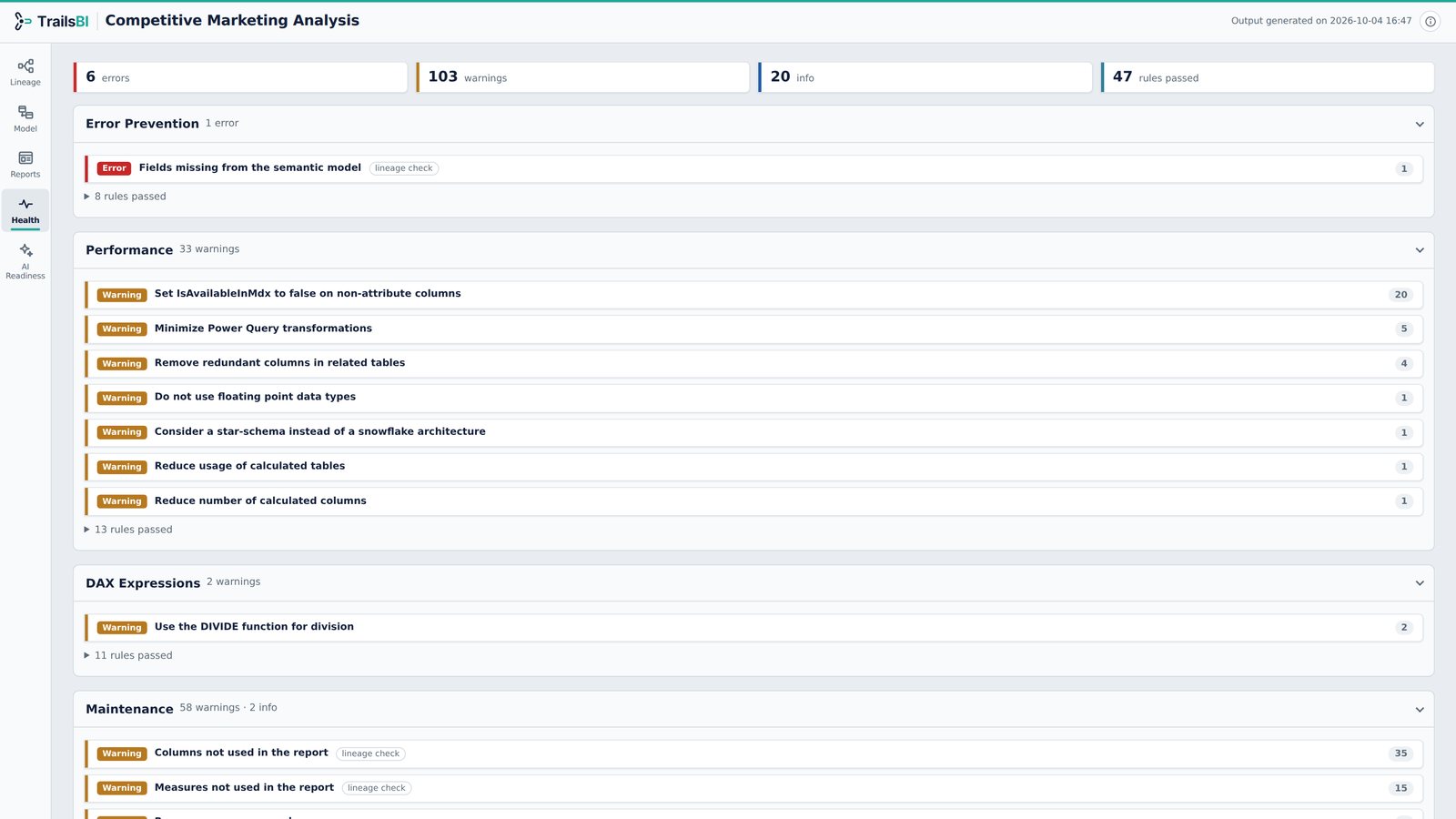
    A visual on Top 10 Regions sorts by Sales[Total Category Volume], which doesn't exist in the model. Power BI drops the sort silently; TrailsBI flags it.

  • Lineage

    All 23 measures live in a Calculations table with one placeholder column. TrailsBI counts them as that table's own, so the table is never suggested for deletion.

  • Impact

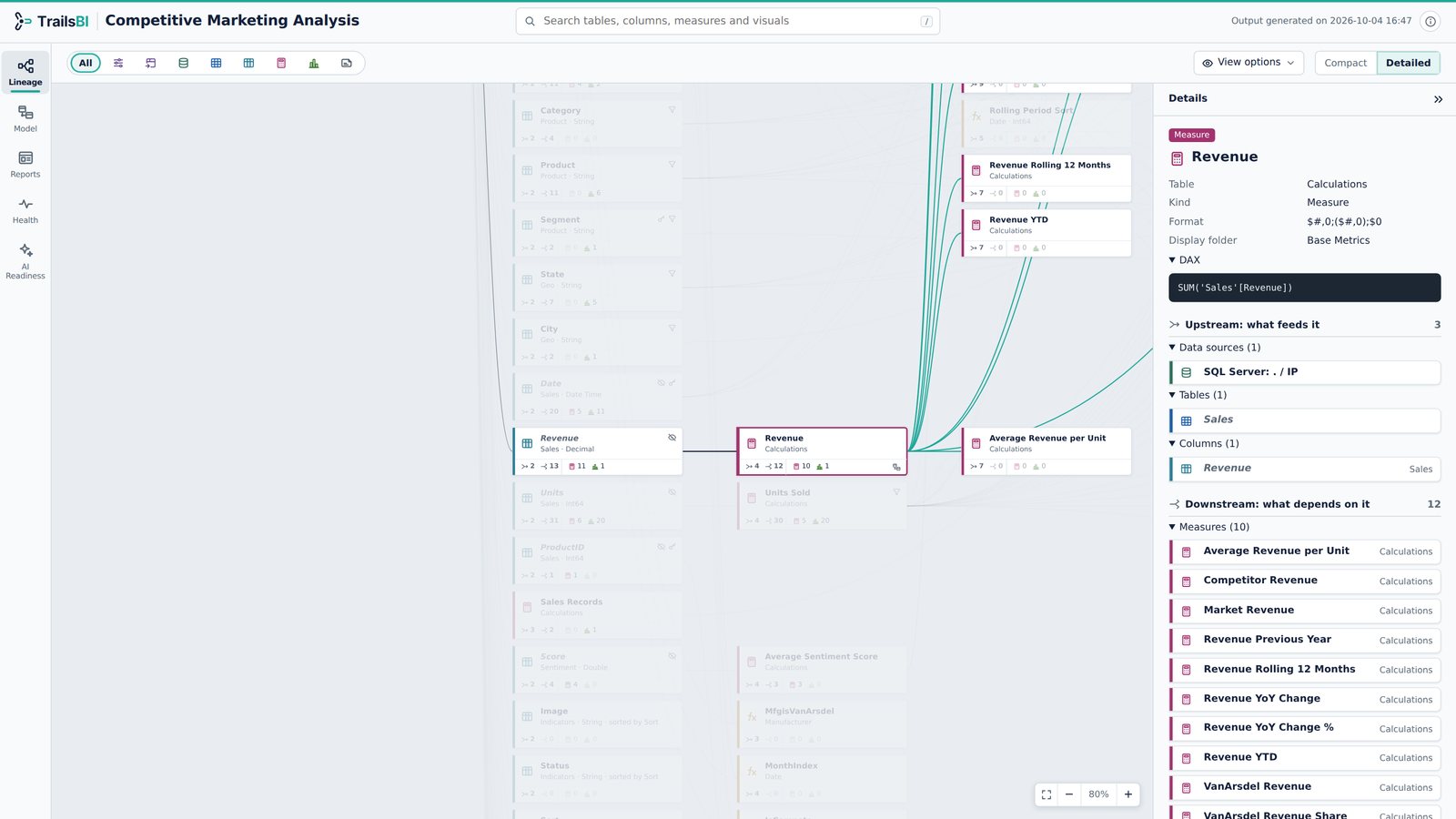
    Revenue is a one-line SUM, yet 10 measures and 12 items in total depend on it.

Every view, on this model
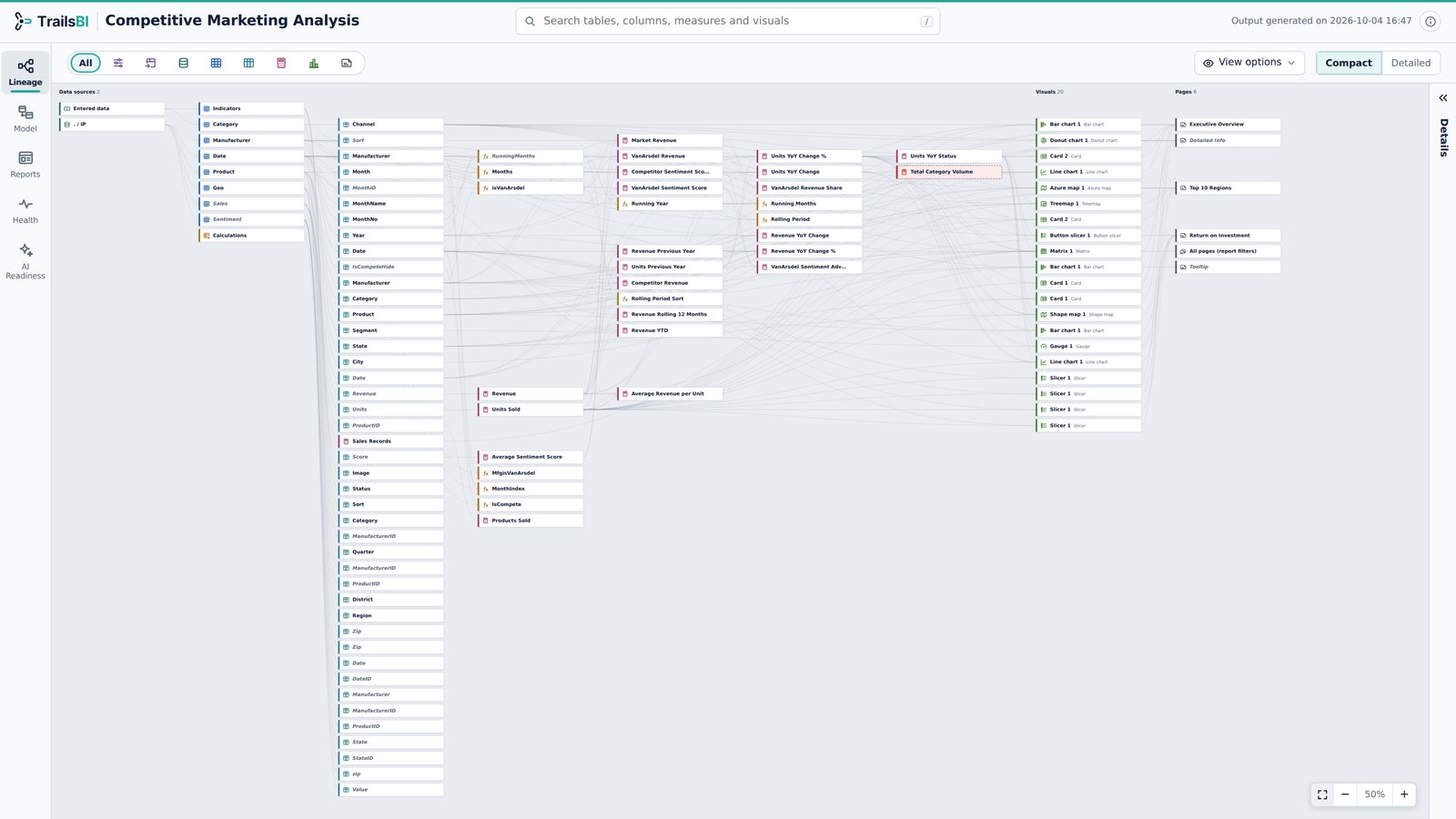
Competitive Marketing Analysis in TrailsBI: Lineage · Compact View
Lineage · Compact View. The whole model on one screen. All items in one picture, from data sources through tables, columns and measures to the visuals and pages that use them.
Competitive Marketing Analysis in TrailsBI: Lineage · Detailed View
Lineage · Detailed View. Trace any item from source to visual. Revenue selected: navy lines show it comes from Sales[Revenue] via one SQL source; teal lines show the 10 measures and the visuals built on it. The Details panel lists everything upstream and downstream.
Competitive Marketing Analysis in TrailsBI: Lineage · Graph View
Lineage · Graph View. The whole project in rings. Data sources in the middle, tables with their columns and measures around them, pages and their visuals on the outer ring. Units YoY Change % selected: it reaches 11 visuals on 4 pages, in teal, and what it depends on shows in navy.
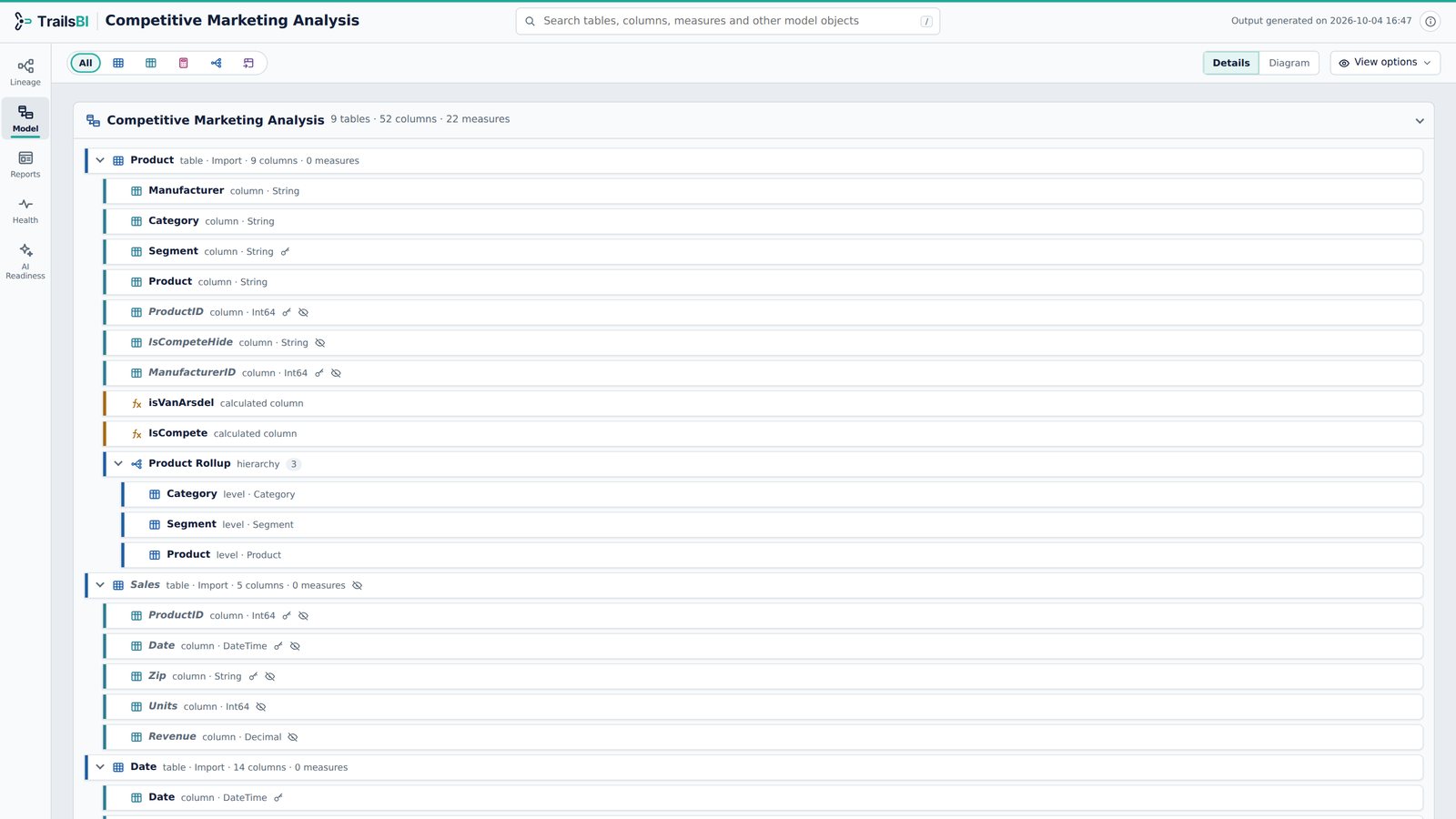
Competitive Marketing Analysis in TrailsBI: Model · Detail View
Model · Detail View. Every table, column and measure. Every table expanded with its columns, measures and hierarchies, keys and hidden objects marked. DAX is one click away and search narrows all of it as you type.
Competitive Marketing Analysis in TrailsBI: Model · Diagram View
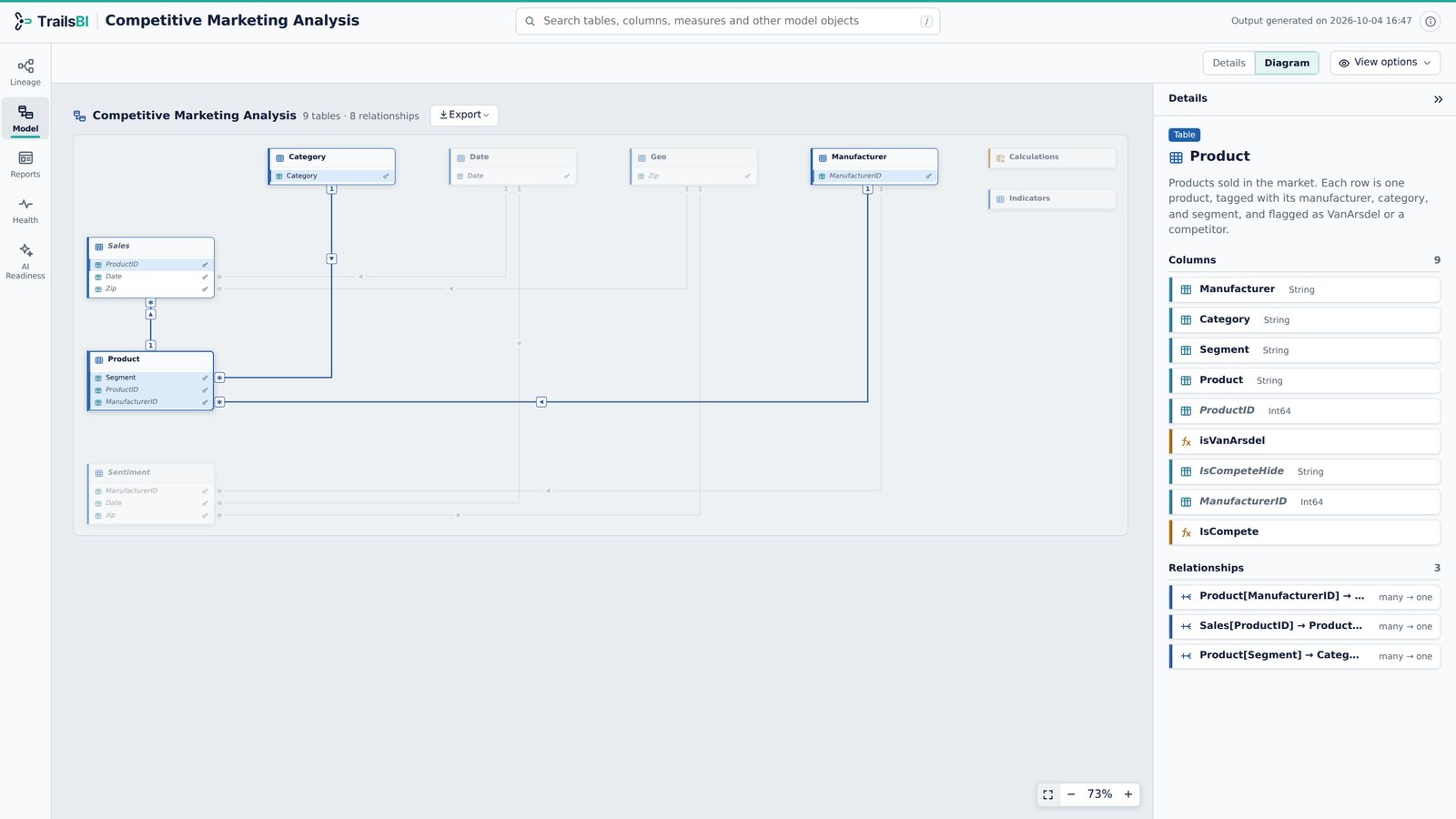
Model · Diagram View. Relationships laid out automatically. Product selected: its 3 relationships light up and the Details panel lists its columns and relationships. The relationship diagram laid out automatically: 8 relationships, cardinality on each end, filter direction on each line.
Competitive Marketing Analysis in TrailsBI: Reports View
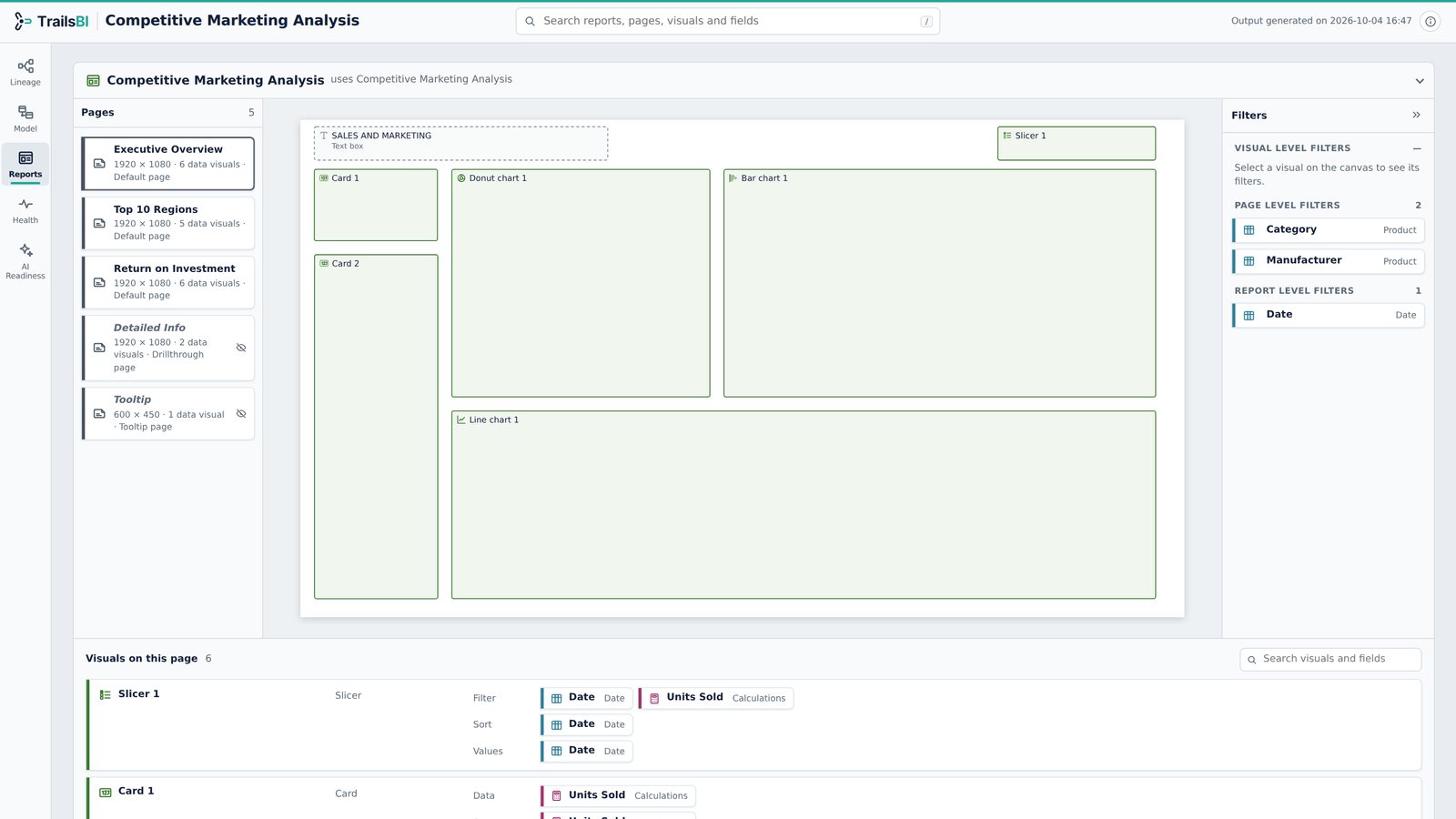
Reports View. Pages, canvas layout and filters. Executive Overview page: the canvas layout, each visual's fields by role, and the page and report filters.
Competitive Marketing Analysis in TrailsBI: Health
Health. Best Practice Analyzer and lineage checks. 79 Best Practice Analyzer and lineage rules: 6 errors, including the missing sort field, and 102 warnings to work through.
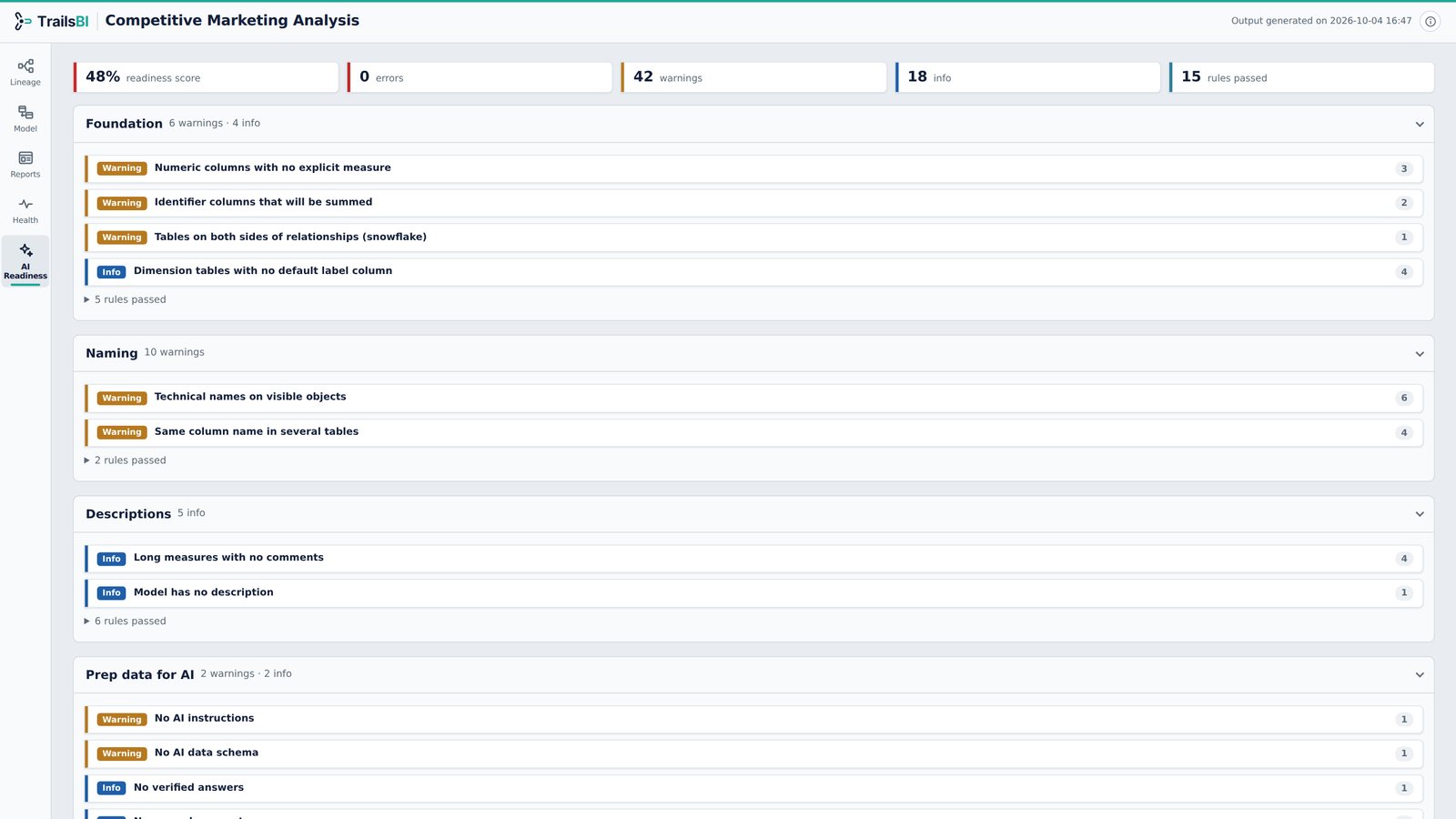
Competitive Marketing Analysis in TrailsBI: AI Readiness
AI Readiness. How ready the model is for Copilot. AI Readiness Score at 48%: technical names on visible objects, duplicate column names across tables and no AI instructions yet.
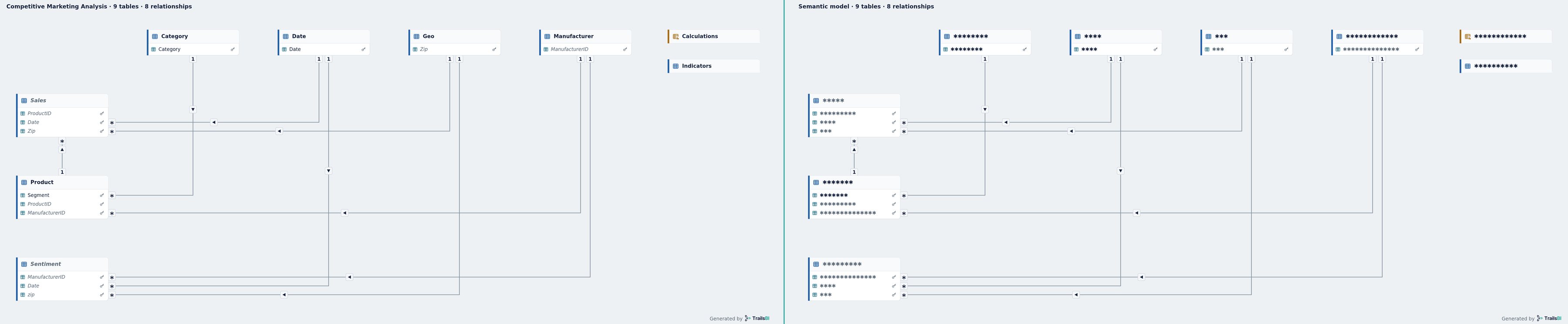
Competitive Marketing Analysis in TrailsBI: Exported diagram
Exported diagram. Names visible, or hidden for sharing. The same diagram exported twice: names visible on the left, and on the right with table and column names hidden, safe to share outside the team.